Snaps to dual-color guides, no rendering
Content renders once, in place

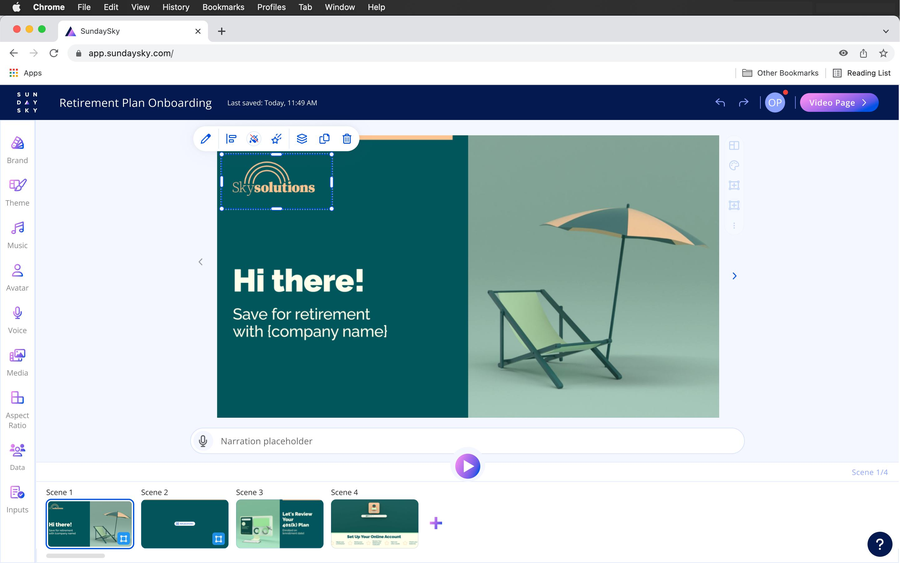
From rigid templates to a blank canvas
SundaySky | Senior UX/UI Designer Project
Role: Lead UX/UI Designer for AI & Creative Tools
The company

SundaySky is a B2B SaaS video creation platform that empowers businesses to build scalable, personalized, and on-brand video content—no advanced editing skills required.

Context

UX/UI Design
Discovery > Delivery

PMs, Engineers, QA,
Copywriters, CS

Figma, FullStory,
Pendo, Jira

Q1 2025
Context
Why not before
What changed
Context
Today, every scene is a template.
Marketers wanted
Move, delete, add. Start from blank.
Product feared
Less polished, weaker animation.
Our approach!Engineering constraint. Custom scenes ran only on the most popular animation themes, so the flow checks the theme first.
Context
Context
MeasuredNot measured yet
Business goals
UX Goals
Discovery
InsightUsers wanted to move, delete and add, not just fill in templates.
“Well, but you know, it'll be nice if I can just delete whatever is there.”
Krista, Marketing contributor
“I wish the text area on the template could be either movable or I could put a text area where I want it.”
Gigi, Marketing contributor
“I want to change them [the scenes] a lot and I don't have the flexibility to do so.”
Genesis, Marketing Manager
“In a perfect world, I would have just been able to add an additional bullet point on a free template.”
Deborah, Marketing Manager





Discovery
Goal
Explore best practices for flexible scene editing
Explored
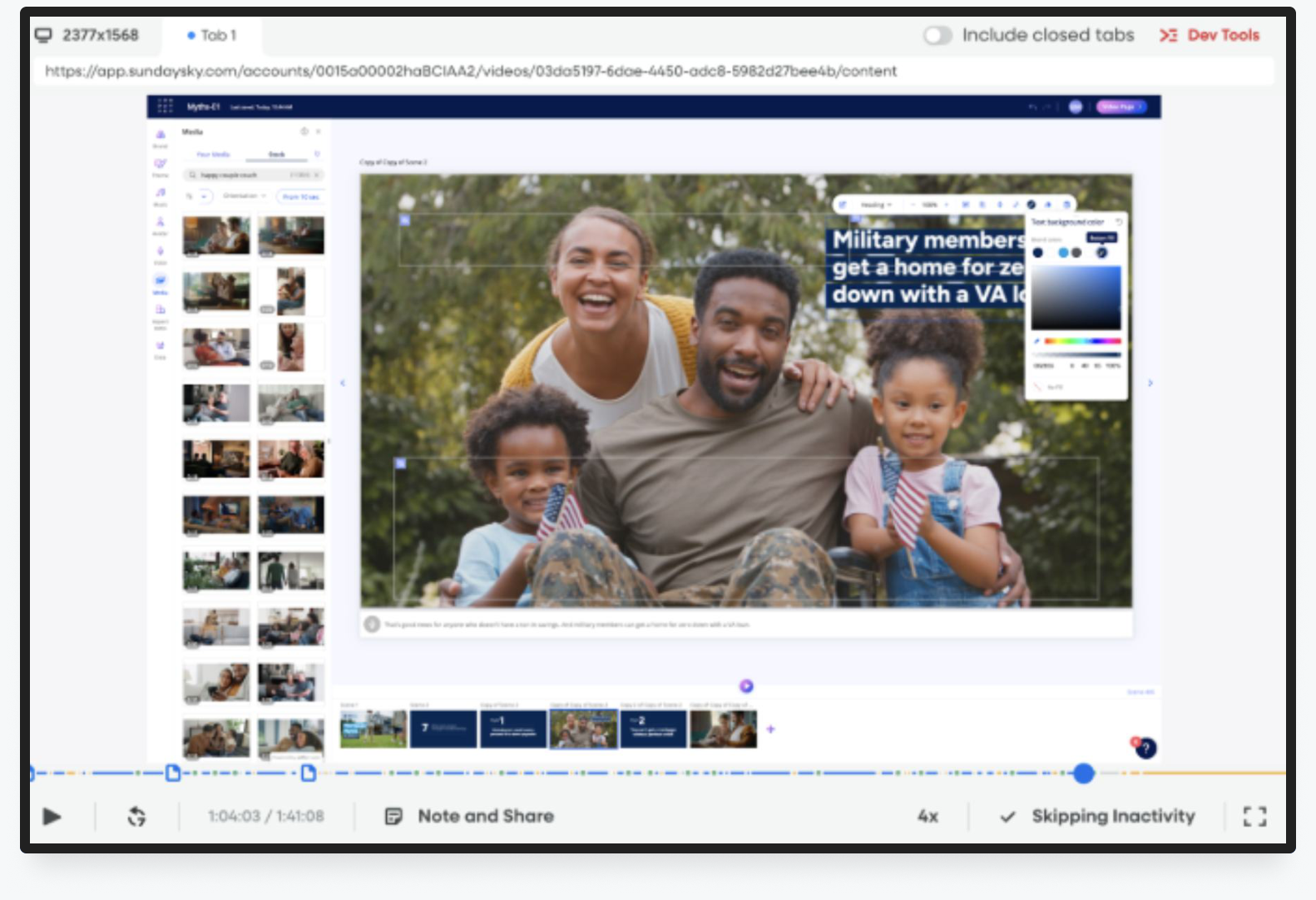
Discovery
Goal
Learn about users interaction with media and text overlay (over media)
Found


Discovery
Goal
Identify high-use UI entry points
Found
Discovery
Users expect Canva-like familiarity.
So we used familiar patterns: drag, resize, layers
19 of 23 used overlays to build a whole scene
So we gave them a real blank canvas
The 3-dot menu was the main entry point
So we surfaced its key actions on the canvas
Freedom shouldn't mean worse-looking scenes
So we added placeholders, a safe area and guides
Discovery
What we bet on before shipping, and what the data said back.
Not just freedom to build: users needed to zoom and drag smoothly. This pulled the project into performance and cleanup work.
The scene’s 3-dot menu was the most-used entry point, so its key actions moved onto the canvas.
We expected users to hit play to see the animation. They almost never did.
We added a visual indicator. The data never confirmed it was needed.
Design
Four steps from empty canvas to a finished scene. Each one is a design decision that follows.

Design
Core
Along the way
Phase 2
Solution 01
How do we make it visible, without restructuring the library or over-promoting it?!Collaboration. Product asked for Option 3. I pushed back: it hid what users wanted. Option 4 was our compromise.
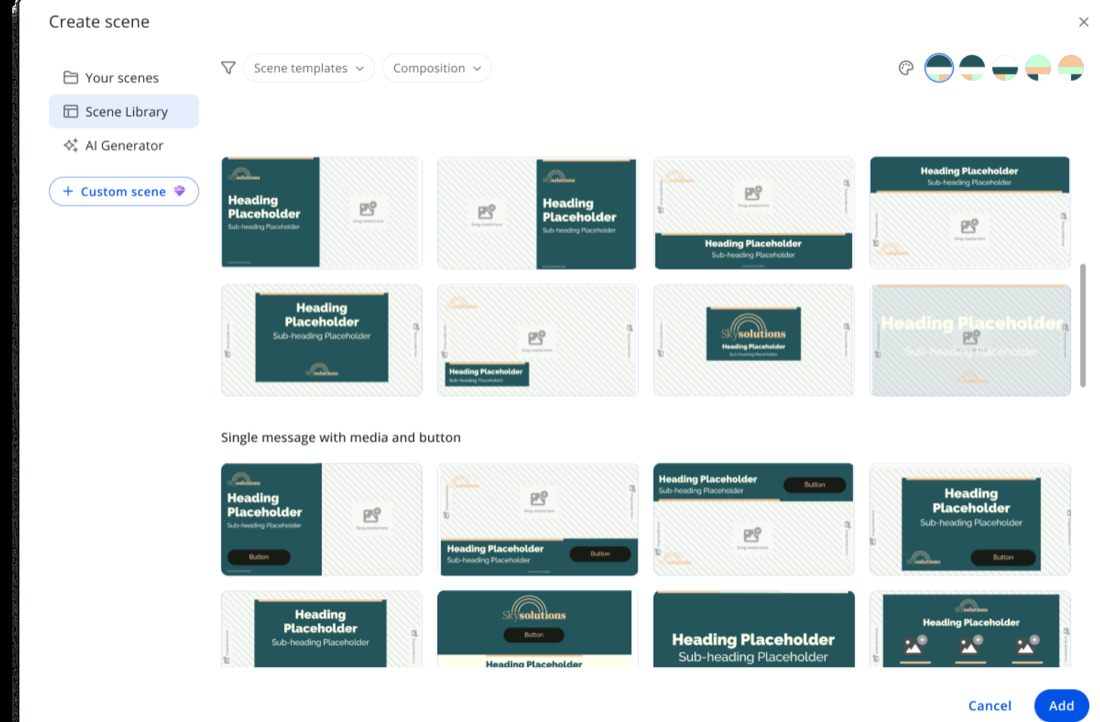
Solution 02
A left library is consistent, but it’s only relevant on custom scenes. Where should it live?
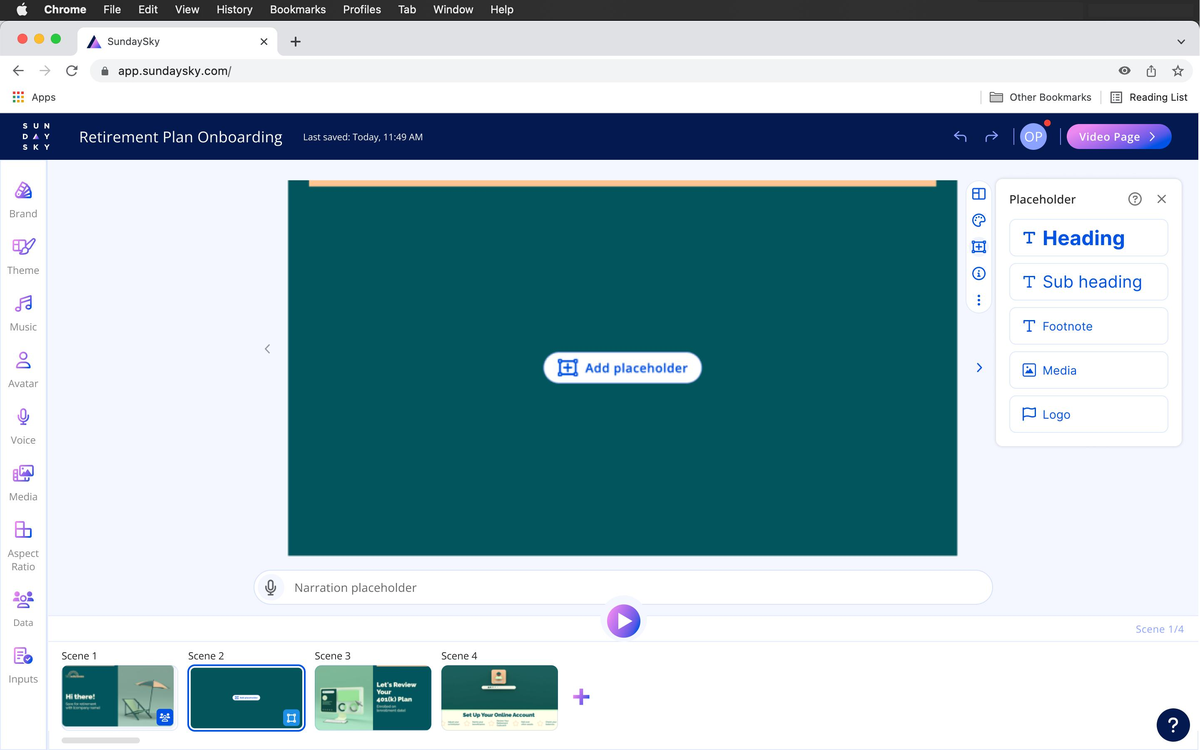
Solution 03
For the first time, canvas space was critical. Where do we find room?!Why it mattered. An unavoidable side project: without it, users couldn’t align, see the guides or zoom.
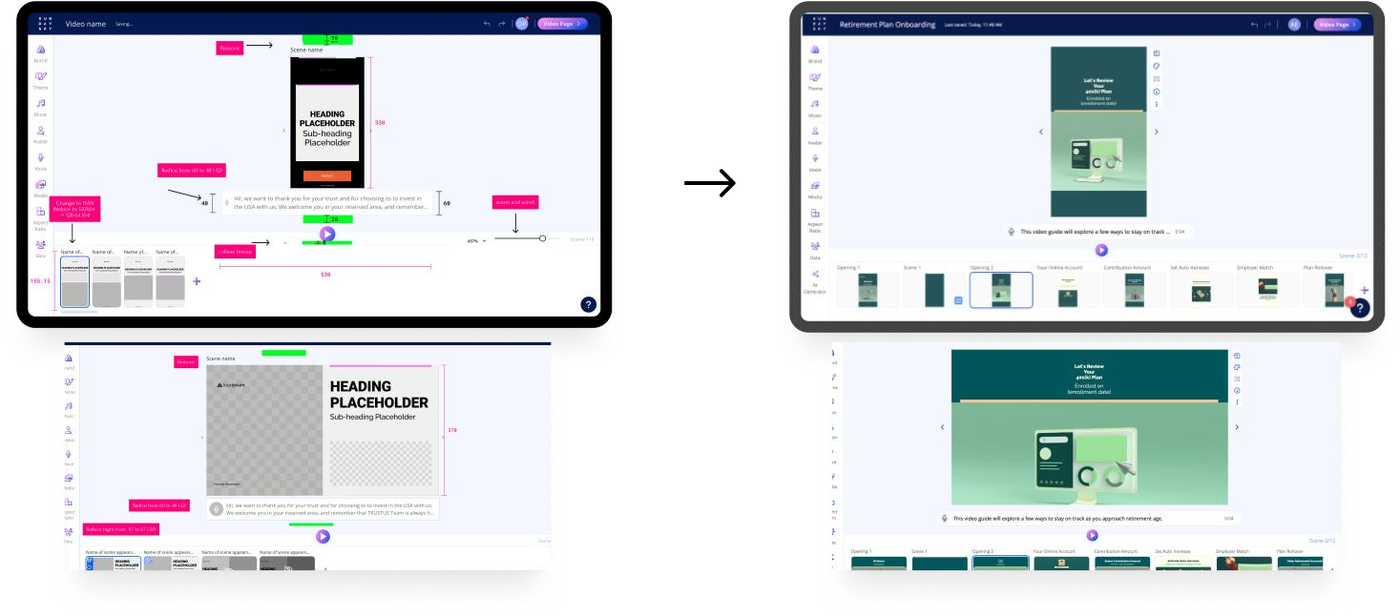
Space removedCanvas
Solution 04
Live rendering made dragging lag. How do we make placing feel instant?!With R&D. We explored drag-and-drop limits together and mapped effort vs. complexity to pick this workaround.
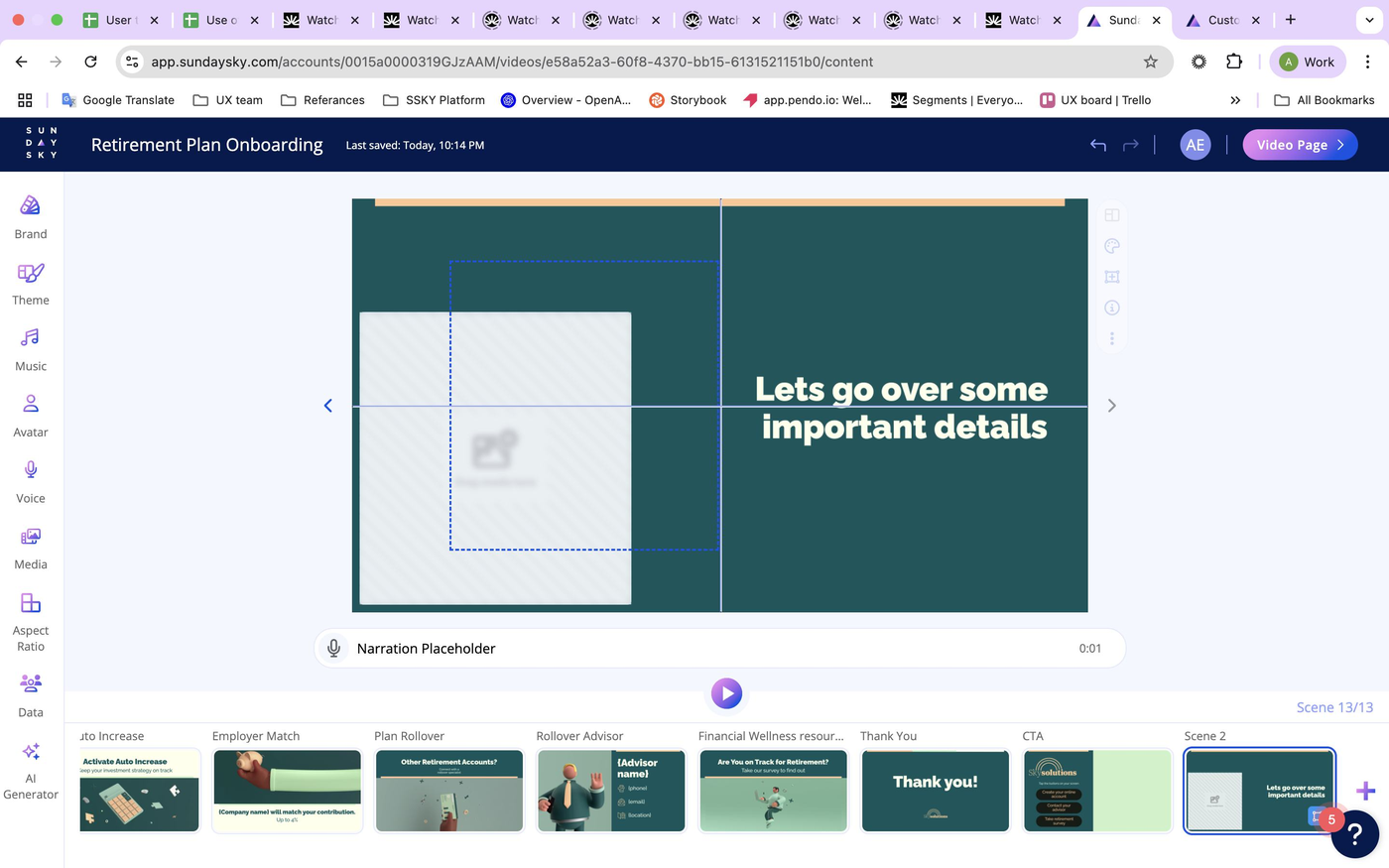
Snaps to dual-color guides, no rendering
Content renders once, in place

Design
Testing
4 studio users built a 4-scene video.
What we learned → what we changed!Also hard: aligning elements. Worked: reordering forward/backward, and the outline on a hidden element helped.
Real session: a participant aligning elements with the new guides
Design
Analyze
35%
of accounts used Custom Scene by day 90, up from 20.3% in week 2.
What it means
Teams that tried it kept using it: account adoption nearly doubled. Visitor adoption grew more slowly, so the feature holds teams better than it pulls in new individual users.
| Checkpoint | Accounts | Visitors |
|---|---|---|
| Week 2 | 20.3% | 9.1% |
| Month 3 | 25.6% | 13.3% |
| Day 90 | 35.0% | 15.8% |
Analyze
After creating a scene, users went to
Creating a scene isn’t a stopping point: users move straight into adding placeholders.
These are “open the placeholder library” events, not confirmed insertions.
Top placeholders added · last 90 days
Media and text dominate. Advanced elements were rarely added, matching feedback about missing buttons and bullets.
Analyze
A related feature, tested with 9 users: the same gaps.!What worked: adding scenes and placeholders felt easy, resizing was easy to control, users could tell custom scenes from templates, and z-ordering was clear.
Top gaps
Fixed in phase 2
Analyze
I’d set these events up with engineering before kick-off, alongside the adoption dashboard.
Analyze
Signal of use
Used in most videos, often several per video.
Reported by a colleague about a year after launch. Anecdotal: no instrumented data confirms it.
Pendo feedback
“Need a way to align multiple items in space evenly.”
#501070
Layers buried behind others are hard to find.
#493039
No CTA button option, so the workaround was going back to a template.
#484982
“Multi-select for bulk placeholder actions, like I can do in PowerPoint.”
#495021
Phase 2 · shipped next
Multi-selectEntry-timing animationBullet & CTA placeholdersCopy/paste between scenesLayer managementReflection
The bigger lesson
User behavior got this built: people hacking overlays into whole scenes.
19 of 23 users bent overlays into full scenes. That behavior, not a feature request, was the argument, and it became an internal case for listening to users directly.
Smart limits made freedom safe for Product. The sidebar button balanced their risk with users’ need to find it.
Placeholders and the popover went into the design system, so phase 2 could build on them.
Questions are welcome.
Aviv Etgar · UI/UX Designer